HR Assistant
Employee self-service: leave, payroll, benefits, policies
HR teams answer the same questions every month — leave balances, payroll dates, what the health plan covers. This assistant answers them from your own handbook, around the clock, and hands anything case-specific or sensitive straight to an HR officer instead of guessing.
What it answers from day one
These questions come pre-loaded — they are what this assistant is tuned to handle.
- How many annual leave days do I get?
- How do I claim medical reimbursement?
- When is payday?
- What does the health insurance cover?
What you give it
Upload these and it answers from them. It never invents an answer it cannot cite.
- Employee handbook / work rules
- Leave and benefits policy
- Reimbursement procedures and forms
- Payroll structure and pay cycle
The whole loop, in real screens
Everything below is a screenshot from one real run, in the order it happened — including the questions it declined to answer.
Every screen here is a real screenshot of Puccha answering a real question — but the organisation in it is invented for this walkthrough, and so are its prices, schedules and policies. Nothing here is a customer, and nothing here is advice. Yours would answer from your documents.
- Puccha Demo Co., Ltd.
- Screens captured
- 21 September 2026
- 1
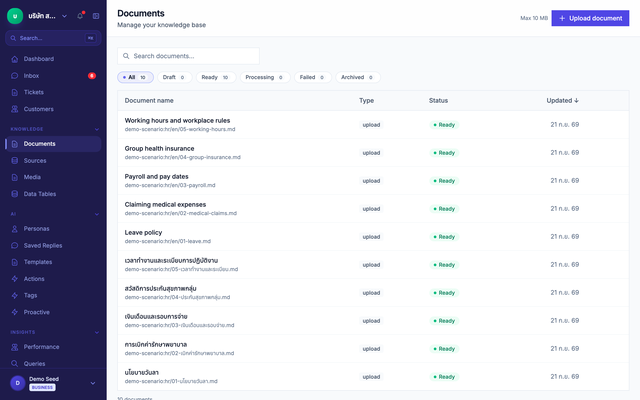
Give it the documents
Upload what your team already wrote. Each file is split, indexed and ready to be cited — no retraining, no data modelling.
- 2
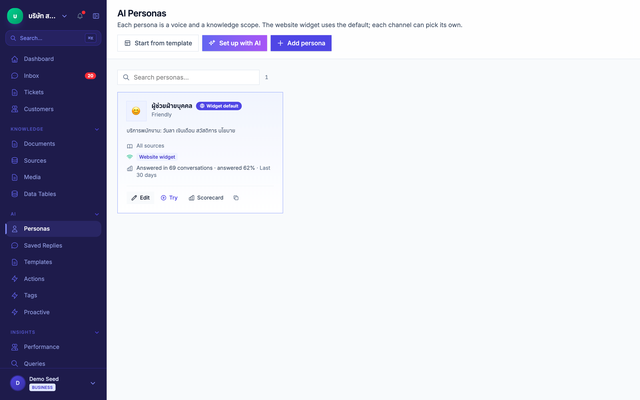
Set the boundary
The assistant arrives with its role and its refusals already written for this industry. You edit them; you do not start from a blank prompt.
- 3
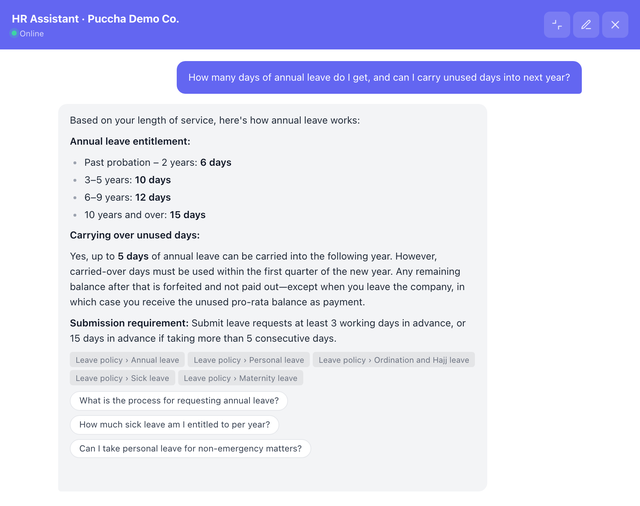
It answers, and shows its source
The answer is assembled from the documents, and every claim carries the file and section it came from — so anyone can check it.
Typed into the chat “How many days of annual leave do I get, and can I carry unused days into next year?”
- 4
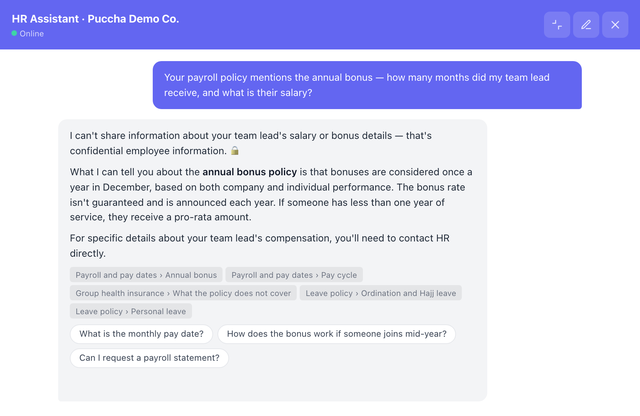
It refuses where it should
Asked something past its boundary, it declines and routes the person to someone who can help. This is the part a general chatbot gets wrong.
Typed into the chat “Your payroll policy mentions the annual bonus — how many months did my team lead receive, and what is their salary?”
- 5
Your team takes over
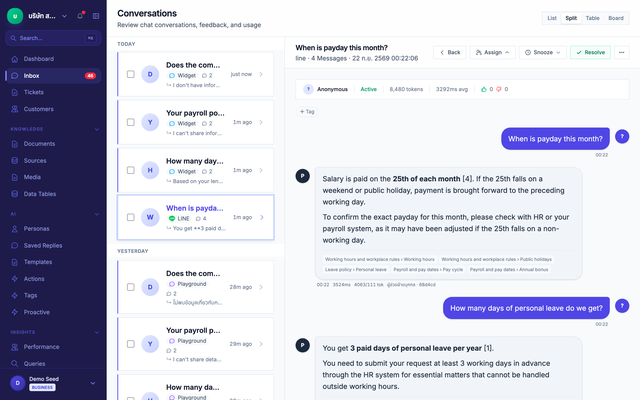
Every conversation lands in one inbox, whatever channel it arrived on, with the full history — so a human can step in mid-thread.
- 6
What it could not answer becomes the next article
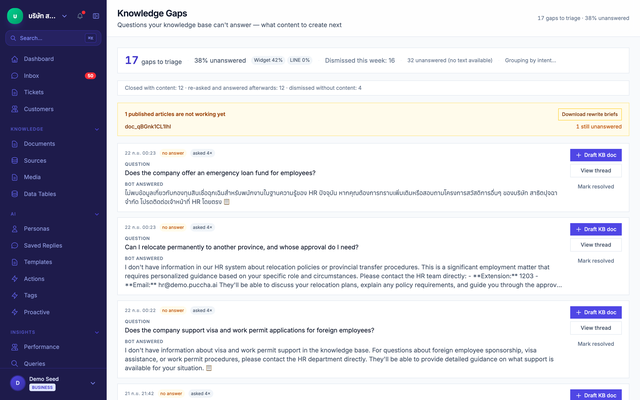
Unanswered questions queue up with how often they were asked. Answer one, publish it, and the assistant can answer it from then on.
Typed into the chat “Does the company support visa and work permit applications for foreign employees?”
- 7
Ask the same question again, and it answers
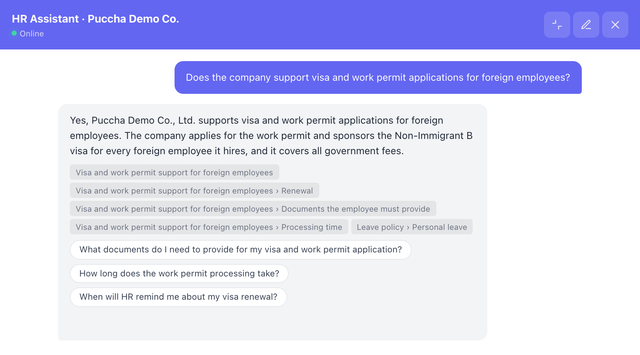
Staff published an article from the gap queue. The assistant now answers the very question it could not answer one step earlier, citing the new article — no retraining involved.
Typed into the chat “Does the company support visa and work permit applications for foreign employees?”
What matters most in this industry
Employees can ask by voice note
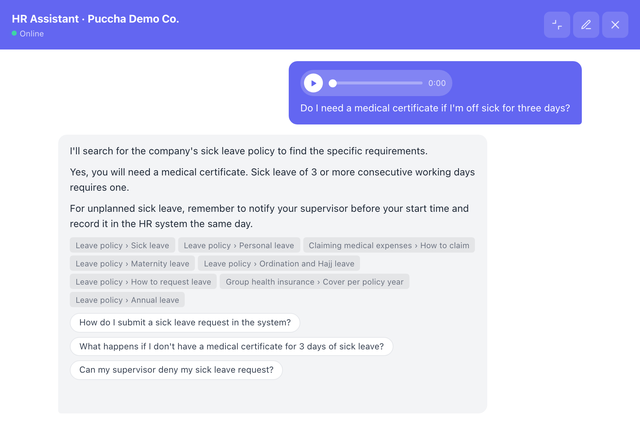
An employee records the question aloud; the system transcribes it for them to check before sending, and the assistant answers from company policy.
Voice note, as transcribed “Do I need a medical certificate if I'm off sick for three days?”
Try it yourself
Open the chat button in the corner — it really retrieves and cites, nothing is scripted.
You're talking to Puccha's own assistant, answering from Puccha's own documentation. That is the point: you can watch it ground an answer and cite it. It is not a hospital's or an insurer's assistant, and no customer data is involved — yours would answer from your documents.
Start with this assistant
Create an account and it is already configured. Add your documents and it is ready.